download these two then setup paint studio right click one of the icons after its done and click “file location” copy the crack files into the main paint studio file then click on the crack.exe till it says ok open paint studio
After spending a week with the 6.25“x10” Monoprice, my Yiynova and Cintiq remain unplugged and I gave my Intuos away to a friend. The Monoprice tracks subtle pressure variances and small movements with less lag and more crisp fidelity than any of the others. It is, put crudely, fucking awesome, in both OSX Lion and Windows 7 x64.
I have one of these, 10×6.5 I bought about two months ago for 48 bucks. It’s a billion times better than my old Wacom Bamboo and works like a fuckin dream.
ATTENTION ALL PENNY-PINCHING ART FRIENDS!!!
ooo reblogging this for potential future purchase
oh
I’m definitely thinking of getting one of these, or asking for one for Christmas. ‘Cause as much as I appreciate Ian giving me his old tablet, I think the pen might be on it’s last legs. ;~;
Oh my god these start at $25 for a little one.
I would be so okay with a little one.
Reblogging this again because I fucking lost it and don’t want to forget it again.
I know a few young or beginning artists who have been asking me about tablets and were sad that the prices were so high. I told them that was only for wacom tablets, and you can find tablets that are just as good (or even better) for much more reasonable prices. I’m reblogging this for those interested in getting an economically priced tablet. These days, when you buy wacom it’s mostly for the name.
art block is your brain telling you to do studies.
draw a still life. practice some poses. sketch some naked people. do a color study. try out a different technique on a basic shape.
art block doesnt stop you from drawing, it stops you from making your drawings look the way you want them to. and thats because you need to push your skills to the next level so you can preform at that standard
think of it as level grinding for your next work.
As a scientific illustrator- this is 100% true and going to review your basics will fix it every goddamn time. Not only does it keep your skills sharp, when you’re not emotionally invested in the final product of a piece, you relax and your brain makes more/better art juice for you. So, when you get back to that big/important piece? You’ll know what to do and how to do it.
Nothing in nature blooms all year round. Rest, and take care of yourself.
Hey guys! this is the program I use and its absolutely great! Its developed with a tablet user in mind so everything pen appropriate. Plus FUCK ADOBE and their subscription model.
Krita is a painting program that has been around for a while, and in the last few years, underwent major changes and improvements. Because of these improvements, many artists are using it not just because it is free, but because it offers amazing features. These are by no means all of the great things Krita has to offer, but simply some of my favorite features of the program.
1. The Brush Engines.
Yes, engines. As in plural. There are many. And they all do different things. There is no way you could possibly capture all of its possibilities with one screen shot, but here are just some of the possibilities. Along side standard round, square, and shape, and textured brushes, there are brushes that smear, blend, and create interesting abstract strokes. There are brushes for filters, and one of my favorites, the Experiment Brush, which is basically a pre-filled lasso tool.
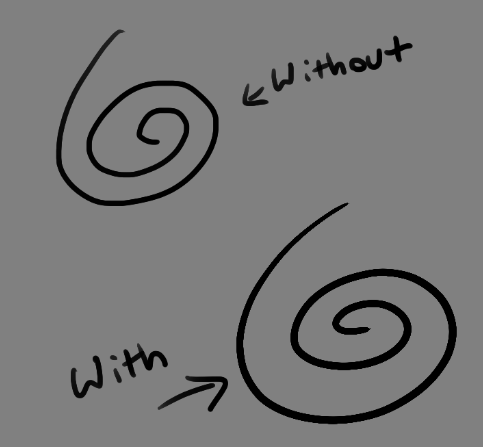
Brushes also support weighted smoothing, or brush stabilizers.
This is incredibly useful for line art. And while I do not usually use this feature, it is something that I feel many programs are lacking, such as Photoshop.
But its brushes aren’t the only thing about Krita with variety.
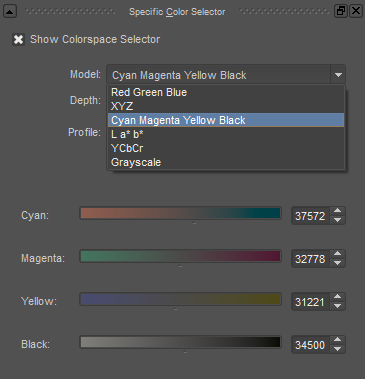
2. Color Selector Customization.
Whether you prefer something basic, or something more complicated, Krita will likely have what youre looking for. You are not likely to find yourself missing your other program’s color wheels. There are even more options than this, and other color selectors.
Gotta love that customization.
Krita also has some great naviation tools.
3. On the fly rotation, zoom, and brush sizing.
With krita, zooming, rotating, and brush size scaling are all smooth, and dynamic with the use of hot keys. These are features I miss when in other programs. To zoom, Ctrl+Middle mouse button, hover over the screen to zoom in and out. The same with shift rotates (press the ‘5’ key to reset rotation). Holding down shift and draging your brush on the canvas dynamically changes its size, allowing you to see the change, and get the exact size you want without brackets. Brackets also work, if that’s what you are used to. Krita also has highly customizable hot keys.
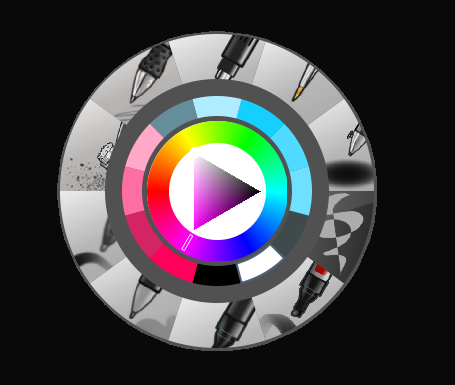
4. The Pop Up Pallet
The pop up pallet is a set of your 10 favorite brushes (which you can edit), and a built in color wheel that appears when you right click on the canvas. It is incredibly useful for switching between those few brushes that you use in almost every picture.
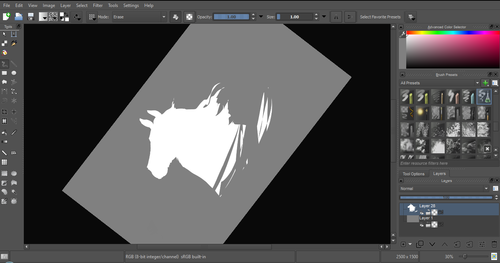
5. Real time, seamless tiles creation.
Pressing the W key in Krita will infinitely tile your canvas, and allow you to work real time on simple to complex tiled images. You can zoom in and out to see how your tiles work form a distance, and paint freely to create seamless artwork easily, without having to check using filters and manually tiling. Very usefull for patterns, backgrounds, and games.
6. The Symmetry Tool
This one goes without saying, Krita supports both horizontal and vertical symmetry, along with a brush that is capable of radial symmtry with as many directions as you like.
Go nuts, kid.
There are many more reasons why this program is awesome. And it is only going to get more awesome. And the coolest thing about it, is that it is 100% free. So go check it out! There’s nothing to lose. Krita isn’t for everyone, it can be hard to get the hang of, and it is not meant for photo editing, it is a program completely focused on digital painting from start to finish.
Give it a go and see if Krita is the program for you.




 i'll apple your turnover